 Just arrived in the workshop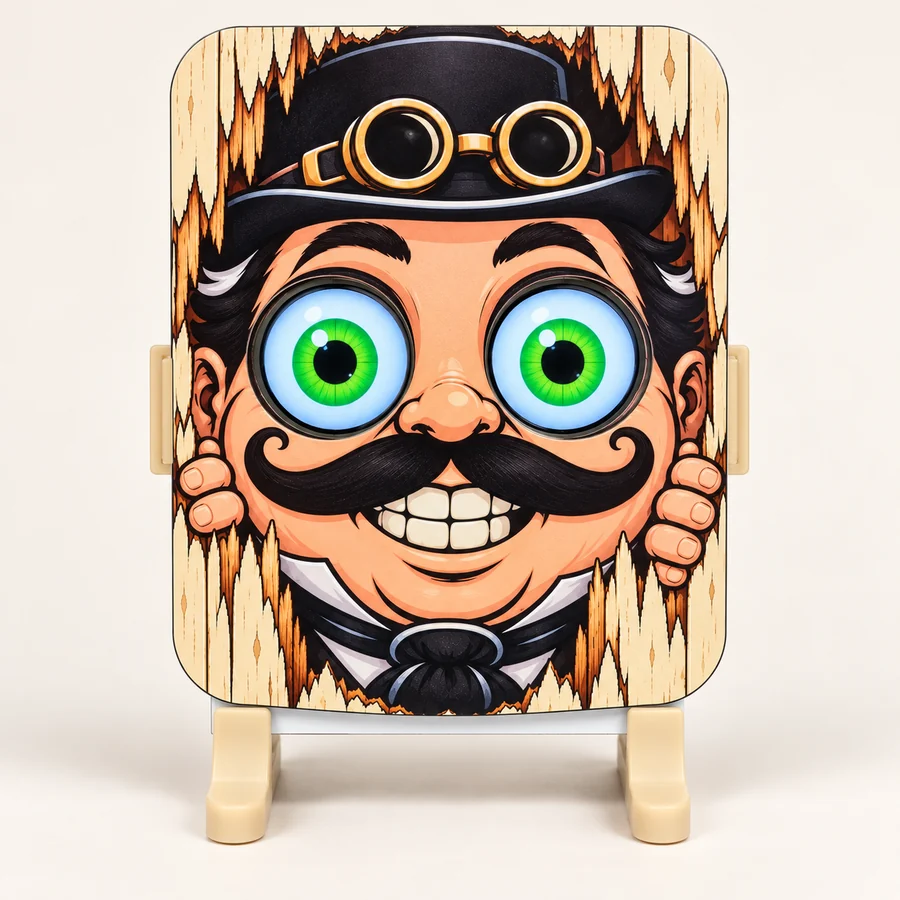
GurgleApps workshop · Software & support
S.T.A.R.E.Updates for the Apparatus
Updates for the standard S.T.A.R.E. animated eyes kit, with a 4 MB ESP32. The normal customer download includes the apparatus firmware and its web interface. Download a Cabinet backup before installing.

Recommended update
Version 1.0.3
Firmware and web interface update
Hardware: esp32dev-4mbStable
Download update 1.0.3
1.59 MB · 1,591,429 bytes · .bin file
Technical details & SHA-256 checksum
- Filename
- stare-esp32dev_release-1.0.3-update.bin
- SHA-256 checksum
- 4ca08f64f484332215b2ff25b43c569be95f681f80b06abad629151ba91b9ef9
- Installation method
- Upload a firmware update
- Update format
- Model 1 · Web interface 1.0.3
- Source revision
- f3d292cd4997e1c0f9c52ff8b0ceeb7ccab45d13
What has changed
S.T.A.R.E. 1.0.3
Prepared: 22 October 2026. Standard S.T.A.R.E. 4 MB ESP32 hardware
(esp32dev-4mb).
What is new
- Eyelids and blinking. Fit lids to an eye design, choose a supplied colour palette, adjust their shape and shading, and add natural blinking or lid closure to arranged looks. Existing designs keep their appearance until edited.
- Richer display colour. Hardware colour-response presets improve midtones and contrast, with optional fine tuning in Device & Updates.
- A clearer Workshop. Saved eyes appear in the design drawer. Saved movements have a scrolling drawer with position diagrams, Supplied/Yours labels and selected-item tools for renaming, exporting and removal.
- Vintage boot and installation screens. Sepia stationery carries readable network instructions, the installed version and installation progress. Progress drawing avoids repeatedly clearing the labels and bar.
- Quieter updates. Connected control pages pause their background traffic during installation, show a notice and reconnect afterwards without discarding unfinished work in other tabs.
- Recovery instructions on the eyes. If an update needs repair, the screens keep the connection details and “Retry the update” instructions visible. The recovery page is built into the firmware, so it works without the normal web interface. Only the unchanged factory access-point password is shown.
- Bitmap display API. External controllers can temporarily display an image on either eye or both. The Image Desk converts ordinary image files; Return eyes releases the display. Images sent this way are not saved in the Cabinet.
Corrections and storage
- Saved or renamed eyes update their drawer tile immediately.
- Confirmed performance saves apply the returned display status, so the Cabinet lamp reflects the eye the apparatus reports displaying.
- Movement removal failures are reported inside the confirmation window.
- Splitting the web application into compressed assets reduces the largest temporary file needed during future web updates.
- Unused supplied bitmap artwork can be removed to recover space. Artwork used by a saved eye or performance remains protected.
Fresh installations include expressive examples such as The Cartoon Companion, Forty Winks and The Sneaky Regard. These example additions are factory content; updating an existing apparatus keeps its Cabinet rather than inserting them. Fresh kits omit the old Cute Green, Evil128 and Frog bitmaps. Existing users' artwork is not automatically deleted. The Watchful Owl still uses bitmap artwork.
Updating an existing apparatus
Use stare-esp32dev_release-1.0.3-update.bin, the preserving firmware-and-web update for the standard 4 MB ESP32 kit. Download a Cabinet backup first, install through Device & Updates, keep power connected and refresh the page after restart.
Direct preserving upgrades from 1.0.0, 1.0.1 and 1.0.2 were tested with this exact release binary, including saved work, artwork, Wi-Fi and restart persistence. No intermediate update is required. Exact stable-binary results and checksums are recorded in the release archive.
Known limitation: restoring an older Cabinet backup may replace the friendly names of four legacy bitmap designs with filename-style names. Their artwork, settings and performance pairings remain intact. Normal firmware upgrades preserve those names. This cosmetic issue is deferred.
Factory full images are for USB manufacturing or deliberate resets. They erase Wi-Fi and saved work and are not the normal customer update.
Installation guide
Attend to the Apparatus
- Download the update file to your computer or phone. Keep the
.binfile as downloaded; you do not need to open it. - Open your apparatus’s web interface using the HTTP address shown on its eye screens at startup. Use your own apparatus address, rather than an example from another kit. Your computer or phone must be connected to a network that can reach the apparatus.
- Finish and save any Workshop work you want to keep. Open Device & Updates.
- Under Before Installation, press Download Cabinet Backup and keep the backup file somewhere safe.
- Press Choose Update File and select the downloaded
.binfile. - Check that Update type reads Firmware & web · preserves Cabinet (update.bin).
- Press Upload & Install. Keep the apparatus powered and the page open until installation is complete. The apparatus will restart.
- When it has restarted, reopen or refresh its web interface. In Device & Updates, check that both Firmware and Web interface match the downloaded release, then check your saved Cabinet work.
The preserving update is designed to retain your Wi-Fi settings, saved eye designs, movements, performances and Cabinet contents. Always download a Cabinet backup first.
A word from the makers: If the update is rejected, keep your backup and contact GurgleApps. Please include the firmware version and any error message shown. Do not select a factory filesystem update as a workaround.
Previous releases & beta downloads (2)
Archived downloads are provided for reference. Downgrading is not a supported recovery procedure: newer Cabinet storage may be incompatible with older firmware. Contact GurgleApps if you need help.
Archived release
Version 1.0.2
Firmware and web interface update
Hardware: esp32dev-4mbStable
Download update 1.0.2
1.53 MB · 1,533,755 bytes · .bin file
Technical details & SHA-256 checksum
- Filename
- stare-esp32dev_release-1.0.2-update.bin
- SHA-256 checksum
- 318eaf7ab56bab27835cfb136d811e542fd62c9328d93d30dc2513838bf0a036
- Installation method
- Upload a firmware update
- Update format
- Model 1 · Web interface 1.0.2
What has changed
- Clarifies when the performance eye picker is reusing only the appearance from an existing performance.
- Adds Check for updates to Device & Updates. It checks for a newer compatible stable release and links to the makers’ update instructions. Checks are manual; downloads and installation remain under your control.
Archived release
Version 1.0.1
Firmware and web interface update
Hardware: esp32dev-4mbStable
Download update 1.0.1
1.53 MB · 1,531,120 bytes · .bin file
Technical details & SHA-256 checksum
- Filename
- stare-esp32dev_release-1.0.1-update.bin
- SHA-256 checksum
- 8c61e35849904d4b14d532d6668f7fe402cb9acd6b33bc45cc93223b60f68d81
- Installation method
- Upload a firmware update
- Update format
- Model 1 · Web interface 1.0.1
What has changed
- Fixes a crash when saving a performance that could leave the Register waiting, even after the performance had been recorded.
- Improves file reading and avoids unnecessary work when saving a performance.
- Improves save feedback and keeps the Workshop’s selected task aligned with the bench shown.
Keep making
More from our workshop
Find your next project among our electronics kits and components.